Features in EnvyNG 1.1.x
- Its code will be cleaner (more readable and sensible). I will use SimpleGladeApp as glatzor (Sebastian Heinlein) suggested a long time ago.
-
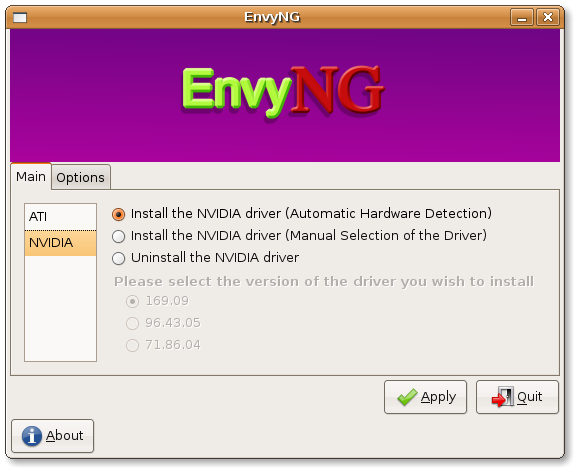
It won’t waste as much screen space as it used to do (see the screenshot below) as using Envy in 640X480 is not an easy task. It will use tabs and a treeview.
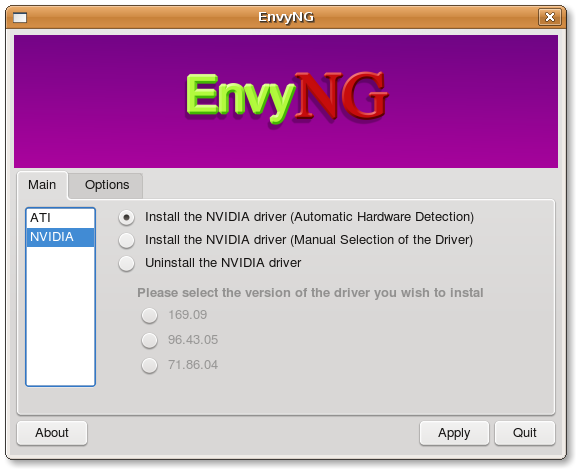
- EnvyNG will have an alternative interface written in PyQT4 so that it has a native look on KDE4 and that it doesn’t require GTK dependencies, VTE, etc. It will also use Adept instead of Synaptic.
-
The logger of EnvyNG will be improved so that it will be easier for you (and for me) to see what goes wrong in the installation process.
- In GTK I use VTE to show the output of the subprocess which performs the installation, uninstallation, etc. and there’s still room for improvement.
-
In QT4 I use a KProcess and insert the output into a QTextEdit widget. I rely only on QT4 (no VTE is required).
-
You will be able to either build, install and save the packages to your hard disk or just build and save without any need to install such packages. For example you might build the packages on a computer which is faster or which has access to a broadband internet connection and install such packages on another computer which lacks these features (in this case you will have to configure your xorg.conf manually).
- envy-core – which contains the program and its textual interface and doesn’t depend on any GUI toolkit so that if, for example, you want to include EnvyNG in your customised distro but don’t have enough space for either the GTK or the QT4 libraries in your livecd, you can include just the textual installer.
- envy-gtk – the GTK interface
- envy-qt – the QT4 interface
- I will set up a PPA repository so that if you do a “sudo apt-get install envy-qt” (or -gtk), envy-core will be installed automatically as a dependency.
The new GTK interface:
The new QT4 interface:
P.S. In case you’re wondering, I will update the good old Envy soon.
Nice work! Spent a day trying to get new nvidia driver installed on 7.1. Installed envy and it was up and running in 10 minutes. Did you ever consider setting it up so it could be installed with apt-get?
Please get rid of the header image too. This is a program, not a website. 🙂
I agree. a repo would be awesome. I’m constantly checking the site for updates… Then again, I’m sure the page would get less hits 😉 Still waiting for an update with the new ATI 8.2 driver. Love the new QT4 look, by the way!
Do we really need such a big logo in the program window? It takes so much space and serves nothing.
I want to install envy but
sudo apt-get install envy-gtk envy-core
seems not to work
only
sudo apt-get install envyng-gtk envyng-core
seems to work. Why?